IPTV is becoming one of the most popular ways to stream live TV, sports, and on-demand content in Ireland. However, many beginners still ask the same question: how do you actually set up IPTV correctly on your device?
In this complete 2026 guide, you’ll learn exactly how to install and configure IPTV on Firestick, Android TV, Smart TVs, and Apple TV. Step by step, we’ll keep things simple, clear, and beginner friendly.
If you are new to iptv ireland services or trying the best iptv ireland options for the first time, this setup guide will help you get started smoothly.
What You Need Before Setting Up IPTV
Before we begin, make sure you have the basics ready. Otherwise, the setup may fail or buffer later.
First of all, you need a stable internet connection. For HD streaming, at least 25 Mbps is recommended. For 4K streaming, faster speeds are better.
Next, you need:
- an IPTV subscription or trial
- your login details (Xtream Codes or M3U URL)
- a compatible IPTV app
- a streaming device (Firestick, Android TV, Smart TV, Apple TV, etc.)
If you are still comparing providers, you can first read the Best IPTV in Ireland and How to Choose IPTV in Ireland guides before setup.
Best IPTV Apps to Use in Ireland
Before installing anything, you must choose a player app. Not all IPTV apps are equal. Some are easier, faster, and more stable.
Popular IPTV apps include:
- IPTV Smarters Pro
- TiviMate
- Smart IPTV
- IBO Player
- GSE IPTV
- Apple TV IPTV apps
If you’re unsure which one fits your device, read the Best IPTV Apps in Ireland article and then return to this setup guide.
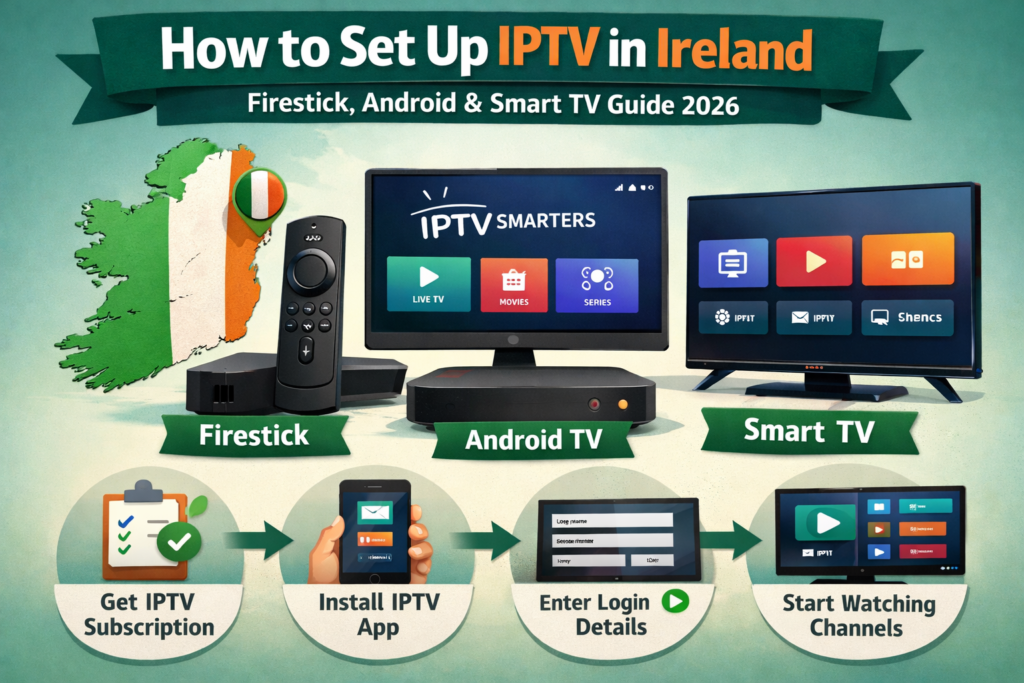
How to Set Up IPTV on Firestick (Step by Step)
Firestick is one of the most common IPTV devices in Ireland. Fortunately, setup is straightforward.
First, open your Firestick home screen. Then go to Settings → My Fire TV → Developer Options. Enable “Install unknown apps” if required.
Next, install the Downloader app from the Amazon store.
After that:
- Open Downloader
- Enter the IPTV app download URL
- Install IPTV Smarters or your chosen app
- Launch the app
- Choose “Login with Xtream Codes”
- Enter username, password, and server URL
- Click login
Within seconds, channels and categories will load.
Many users of best iptv ireland services prefer Firestick because it is affordable and stable.
How to Set Up IPTV on Android TV or Android Box
Android TV setup is even easier. In most cases, you install directly from the Play Store.
Simply follow these steps:
- Open Google Play Store
- Search for IPTV Smarters or TiviMate
- Install the app
- Open it
- Choose login method
- Enter IPTV credentials
- Confirm and load channels
Additionally, Android devices allow more advanced features, such as recording and multi-screen view, depending on the app.
For users exploring iptv ireland options, Android TV is often the most flexible platform.
How to Set Up IPTV on Smart TV (Samsung & LG)
Smart TVs require slightly different steps depending on brand.
For Samsung or LG:
- Open the TV App Store
- Search Smart IPTV or IBO Player
- Install the app
- Open it, you will see a MAC address
- Visit the app activation website on your phone or PC
- Upload your playlist or Xtream details
- Restart the app
After activation, your IPTV channels will appear.
Although setup takes a few extra minutes, Smart TV IPTV works very well once configured.
How to Set Up IPTV on Apple TV
Apple TV users can also run IPTV apps smoothly. However, app choices are more limited.
Install from App Store:
- Smarters Player Lite
- GSE IPTV
- iPlayTV
Then:
- Open the app
- Choose Xtream or M3U login
- Enter credentials
- Load channels
So, Apple TV is often recommended for users who want a smooth interface and strong performance when using iptv in ireland .
Xtream Codes vs M3U – Which Login Method Is Better?
Most IPTV services provide two login types. Understanding the difference helps avoid mistakes.
Xtream Codes login includes:
- username
- password
- server URL
This method is easier and faster.
M3U playlist login uses:
- one long URL
While both work, Xtream Codes is usually more stable and organized inside IPTV apps.
Therefore, if your iptv ireland provider offers Xtream login, use it first.
Common IPTV Setup Problems (And Fixes)
Sometimes setup doesn’t work immediately. However, most problems are easy to fix.
If channels don’t load:
- double check credentials
- remove extra spaces
- verify server URL
If buffering happens:
- test your internet speed
- restart router
- try a different IPTV app
- reduce stream quality
For example, If app crashes:
- update app
- clear cache
- reinstall
Even the best iptv ireland services require correct configuration to perform well.
Best Practice After Setup
Once IPTV is running, don’t stop there. Optimize your experience.
For example:
- Firstly, organize favorites
- Secondly, enable EPG guide
- Then, test multiple players
- Next, check playback settings
- Finally, enable hardware decoding
Also, if available, test with an IPTV Free Trial Ireland first before committing long term.
Conclusion
To conclude, IPTV setup in Ireland is simple when you follow the correct steps. First choose a compatible app, then install it on your device, and finally enter your IPTV credentials. Firestick and Android TV offer the easiest setup, while Smart TVs and Apple TV require small extra steps. Most issues are solved by checking login details and connection speed.